Plugging your retro console into the TV: the guide
 By The Yeti · published 15/11/2026 · 2 min read
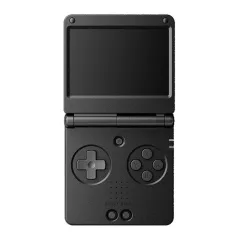
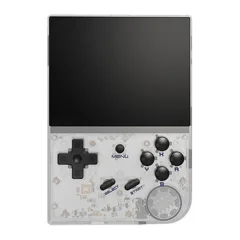
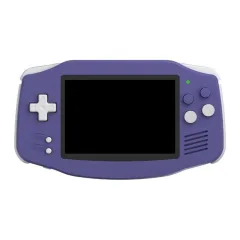
A handheld that becomes a living-room console for an evening: it’s possible with several of my consoles. The RG35XX, RG34XX, RG CubeXX and RG SP have a TV output. The RG Slide, RG557, RG556 and RG406H send a 1080p picture through their USB-C port. Add a controller, and you’re playing two-player on your sofa.
Console by console
| Console | TV output | What you need |
|---|---|---|
| RG35XX | HDMI | A cable that fits the console’s port |
| RG Slide | USB-C, up to 1080p | A USB-C to HDMI cable or adapter |
| RG557 | USB-C, up to 1080p | A USB-C to HDMI cable or adapter |
| RG34XX | TV output | A cable that fits the console’s port |
| RG CubeXX | TV output | A cable that fits the console’s port |
| RG SP | TV output | A cable that fits the console’s port |
| RG556 | USB-C, up to 1080p | A USB-C to HDMI cable or adapter |
| RG406H | USB-C, up to 1080p | A USB-C to HDMI cable or adapter |
Careful: not every USB-C cable carries video. You need a cable or an adapter that handles video (often marked “DisplayPort” or “video”). A simple charging cable won’t do.
Controllers
A console plugged into the TV is nicer with a controller in your hands.
- Android consoles accept Bluetooth controllers, like a phone.
- The base RG35XX has no Bluetooth (the Pro version has it), but it accepts a wired controller or a 2.4 GHz wireless one, with its small USB receiver.
- Two players: many emulators handle two controllers. Perfect for Mario Kart or Street Fighter.
The picture on a big screen
A retro game shown on a 55-inch TV hurts your eyes if you don’t adjust anything. A few settings help:
- Keep the original proportions (4:3 for most retro games) rather than stretching the image.
- Turn on a CRT screen filter in the emulator: it imitates the lines and soft blur of old TVs, and 8- and 16-bit games get their period look back.
- On Android consoles, raise the internal resolution for the PSP, the GameCube or the PS2: the 3D becomes much sharper on a big screen.
- Turn on your TV’s game mode to reduce the lag between the controller and the picture.
What I recommend
For 8-, 16- and 32-bit games on the TV, the RG35XX is the simplest and cheapest solution. For the PSP, the GameCube or the PS2 on the big screen, the RG557, which sends 1080p. The RG Slide bridges the two, in a format that is more compact once closed.
Frequently asked questions
Can the RG34XX be plugged into a TV?
Yes. Anbernic lists a TV output on the RG34XX, as on the RG35XX, the RG CubeXX and the RG SP. A cable that fits the console’s port is enough.
Can you play on the TV and charge at the same time?
With the RG35XX, yes: charging and video go through two different ports. For the other consoles with a TV output (RG34XX, RG CubeXX, RG SP), check their product page. With a console that outputs video over USB-C, you need an adapter that also lets charging through.
Is there any lag?
Very little when wired. Turn on your TV’s game mode to keep it to a minimum.
The consoles in this guide
A question about this guide?
No questions about this guide yet. Ask yours: I answer here, publicly, to help the next readers.
Ask a question
All guides · Console Finder · All consoles