Online play on a retro console: Mario Kart, Smash, Monster Hunter
 By The Yeti · published 15/11/2026 · 4 min read
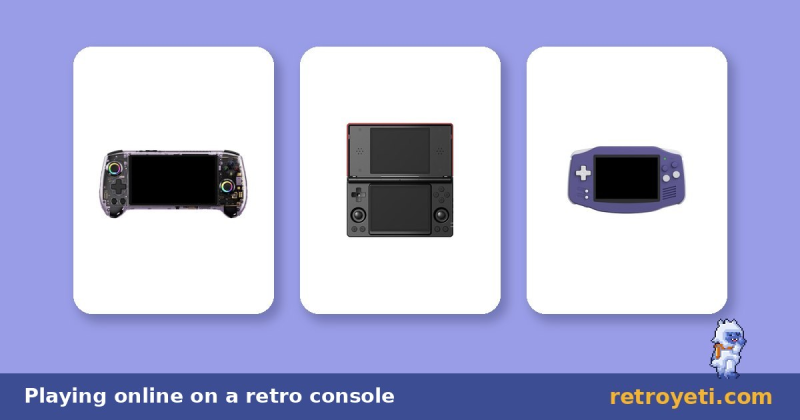
Mario Kart, Street Fighter, Monster Hunter, Smash Bros.: these games were played side by side on the same sofa. With a retro console that has Wi-Fi, you can play them with a friend far away: RetroArch netplay for 8 and 16-bit consoles, replacement servers for Mario Kart DS, PPSSPP’s ad hoc mode for the PSP and, since September 2026, Dolphin netplay on Android for the GameCube and the Wii.
How it works: two consoles, the same game
Playing online on an emulator doesn’t go through Nintendo’s or Sony’s servers, which closed long ago. Depending on the game, there are two ways to do it:
- Netplay: the emulator keeps two copies of the same game in sync over the internet, as if both controllers were plugged into the same console. It even works for games that never had an online mode.
- The original multiplayer: the game connects the way it used to, in ad hoc mode (PSP) or through Nintendo Wi-Fi (DS), but to a replacement server.
Either way, every player needs exactly the same game (same version, same region) and the same emulator in the same version. It’s the number one reason connections fail.
NES, Super Nintendo, Mega Drive, GBA: RetroArch netplay
RetroArch, included on Linux consoles and available on Android, has a Netplay menu: one player hosts the game, the other joins it from the list of sessions or with the host’s address. If your router blocks the connection, turn on the relay server RetroArch offers. Super Mario Kart, Street Fighter II, Super Bomberman or Contra play very well this way, even between a Linux console and a PC.
The Nintendo 64 is fussier: Mario Kart 64 can work, but many games lose sync mid-game. The PS1 needs a powerful device on both ends.
On Linux consoles, a system like muOS or Knulli makes the settings easier: see muOS or Knulli: install a system on your console.
Mario Kart DS online: the replacement servers
Nintendo shut down its Wi-Fi Connection service in 2014. Replacement servers (Wiimmfi, Kaeru WFC, AltWFC) took over: with the melonDS emulator on Android, you set the server’s DNS in the game’s Wi-Fi settings and you’re racing online again, even against players on a real DS. Get melonDS from its website or GitHub: the Play Store version is old. Mario Kart DS, Metroid Prime Hunters and the DS Pokémon games are among the titles concerned.
For two comfortable screens, the RG DS is the ideal console: see also Mario Kart DS and Zelda DS: why go dual-screen.
PSP: Monster Hunter and ad hoc mode
On the PSP, many games were played together in ad hoc mode, console to console. PPSSPP recreates this mode: turn on networking and the built-in ad hoc server in its settings, then start the game’s multiplayer mode. On the same Wi-Fi, it’s the easiest; at a distance, PPSSPP can go through an online ad hoc server. Monster Hunter Freedom Unite is the best-known example: group hunts with up to four players.
GameCube and Wii: Smash Bros. Melee, Mario Kart Double Dash
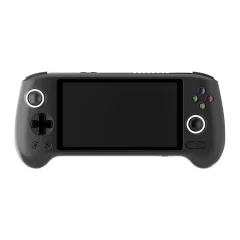
Since version 2609 (September 2026), Dolphin on Android has netplay, and can even play with a PC. It’s a real breakthrough, with two limits: each console must run the game at full speed, and a game between Android and PC can lose sync after a while. Keep it for the most powerful consoles, like the RG557 or the RG DDS.
Smash Bros. Melee: the online reference is called Slippi (matchmaking, rollback netcode), but it only exists on PC. On an Android console, it’s Dolphin netplay, between friends.
Mario Kart Wii: the Wiimmfi servers accept Dolphin, but only with the system memory (NAND) copied from your own Wii, and a player who doesn’t run at full speed risks being kicked. Between friends, Dolphin netplay is simpler.
Which console for online play?
| What you want to do | Consoles |
|---|---|
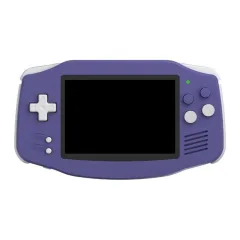
   NES, Super Nintendo, Mega Drive, GBA over netplay | RG34XX, RG CubeXX, RG SP, every Android console |
 Mario Kart DS online | RG DS, RG557 |
 PSP in ad hoc mode (Monster Hunter) | RG406H, RG556, RG557 |
  GameCube and Wii over netplay | RG557, RG DDS |
Frequently asked questions
Can you play online with the RG35XX?
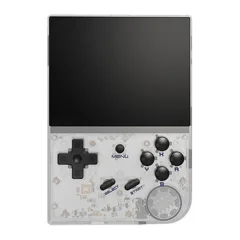
No: it has neither Wi-Fi nor Bluetooth. For netplay in the same form factor, go for the RG34XX or the RG SP.
My friend plays on PC, does that work?
Yes with RetroArch, as long as you have the same version, the same core and the same game. With Dolphin too, but a game between Android and PC can go out of sync.
Why does the connection fail?
Almost always a version difference: in the game, the emulator or the RetroArch core. Update everything on both sides, then try the relay server.
Is hotel Wi-Fi or a mobile connection enough?
For 8 and 16-bit games, a decent connection is enough. For the GameCube, the Wii or the PSP at a distance, a stable connection with low ping makes all the difference.
Photos of the original consoles: Evan-Amos, Wikimedia Commons (public domain; Game Boy Advance SP and Dreamcast: CC BY-SA 3.0 licence).
The consoles in this guide
A question about this guide?
No questions about this guide yet. Ask yours: I answer here, publicly, to help the next readers.
Ask a question
All guides · Console Finder · All consoles