Giving a retro console to a child: the parents’ guide
 By The Yeti · published 18/11/2026 · 3 min read
Giving a retro console to a child means introducing them to the games you grew up with: Mario, Zelda, Pokémon, Sonic. Short games that are easy to pick up, with no ads and no in-app purchases. For a child, I recommend a Linux console like the RG34XX or the RG35XX: simple, sturdy, with no web browser and no app store. For a child who loves Pokémon or Mario Kart DS, the RG DS and its two screens.
Why a retro console for a child?
Games from the 80s and 90s are often perfect for children: simple rules, short sessions, a real ending. No ads, no in-game shop, no coins to buy to make progress. And many of them are classics that haven't aged a day: Super Mario Bros., Tetris, the first Pokémon games, Zelda on Game Boy.
It's also a lovely moment to share: showing them the game from your childhood, playing together on the TV, comparing your scores.
Linux or Android: the most important choice
For a child, this is the real question, more than power.
| Linux console | Android console | |
|---|---|---|
| What it does | Runs retro games, and that's it | Runs retro games and Android apps |
| Web browser | No | Yes, like on a tablet |
| App store | No | Yes (Google Play) |
| Games | Up to the PS1, most N64 and PSP games | Up to the DS, the PSP, the PS2 depending on the model |
| For whom | The youngest, first games | Older kids, DS or PSP fans |
On a Linux console, the child can't download an app or go on the internet: they play the games you put on the card, full stop. On an Android console, it's like handing over a small tablet: turn on Google Play's parental controls, or don't sign in with a Google account. I've detailed the differences in my guide Android or Linux.
My advice depending on the child
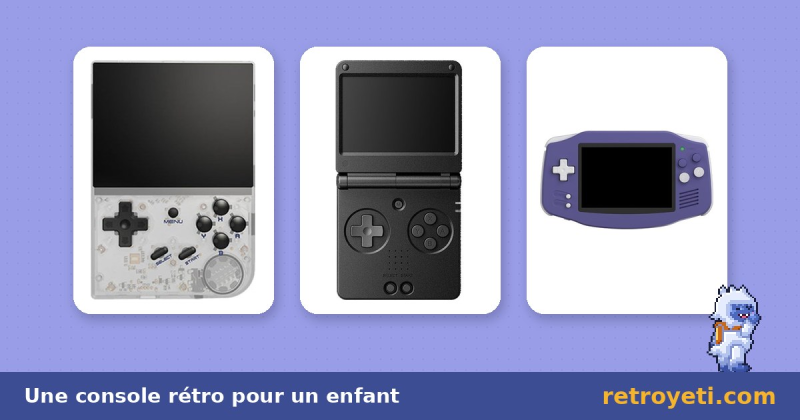
- For a very first video game: the RG34XX. Its Game Boy Advance shape sits well in the hands, its battery lasts a long time, and it runs everything you need to get started.
- For small hands: the RG35XX. Vertical and compact like a Game Boy, with an HDMI output to play on the TV.
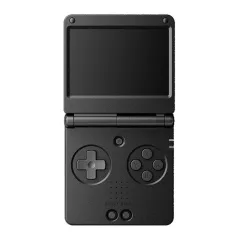
- For a child who breaks everything: the RG SP. It closes like a Game Boy Advance SP: the screen is protected in the school bag.
- For a Pokémon or Mario Kart DS fan: the RG DS. Two real touchscreens, like the Nintendo DS. It runs Android: remember the parental settings.
If you're unsure, my guide Which retro console to start with goes further.
The games: you decide
A retro console doesn't come with a catalogue of games to download. With a child, that's an advantage: you choose what's on the card. For a game's recommended age, check its PEGI rating, just like for today's games.
Legally, an emulator is legal; the games themselves are protected by copyright. The proper way to play is to copy your own cartridges and discs. There are also lots of recent games made by enthusiasts for old consoles, often free. It's all explained step by step in my guide Putting games on your retro console.
Good habits
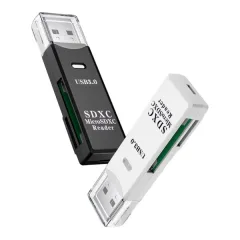
- Prepare the card before giving the console. On the day, the child wants to play straight away, not wait while you copy games. You'll need a microSD card and a card reader for the computer.
- Get the charger. The consoles come with a USB-C cable, but no charger. The 45 W charger charges quickly and safely. The simplest option: the Ready-to-play bundle on every console page, which brings together console, card and charger with a small discount.
- Set the volume and brightness together during the first game: it's a chance to show them the buttons.
- Think of the TV: some consoles plug into the TV, to play on the big screen. The RG35XX, RG34XX, RG CubeXX and RG SP have a TV output; the RG Slide, RG557, RG556 and RG406H send the picture over USB-C. My guide Connecting your retro console to the TV explains how.
What if it breaks?
The consoles come with a 2-year warranty. If something goes wrong, write to me: I handle it myself. A drop or a broken screen isn't covered by the warranty, which is why a clamshell console or a case is a good idea for the youngest.
Want advice for a particular child? Tell me their age and what they like, and I'll reply.
The consoles in this guide
A question about this guide?
No questions about this guide yet. Ask yours: I answer here, publicly, to help the next readers.
Ask a question
All guides · Console Finder · All consoles