Dreamcast on a handheld: which retro console should you pick?
 By The Yeti · published 15/11/2026 · 3 min read
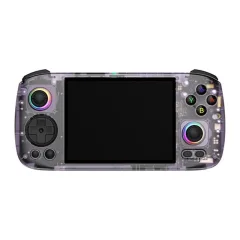
Sonic Adventure, Crazy Taxi, Jet Set Radio, Soulcalibur: the Dreamcast had a short life and a brilliant library. To play it on a handheld without compromise, get an Android console: the RG406H, the RG556 or the RG Slide run it at a higher resolution, and the RG557 has even more headroom. Linux consoles with the H700 chip run plenty of games, but the heaviest ones slow down.
Why the Dreamcast runs so well
The Dreamcast came out before the PS2, with an architecture that’s simpler to imitate. The result: it needs far less power. A console that struggles with the PS2 can run the Dreamcast beautifully.
The Flycast emulator does almost all the work. It’s built into muOS and Knulli on Linux consoles, and it exists as an app and as a RetroArch core on Android.
Console by console
| Console | Dreamcast | In practice |
|---|---|---|
| RG557 | Yes, the whole library | 3× resolution or more, plenty of headroom |
| RG556, RG406H, RG Slide | Yes | 2× resolution, sharp picture |
| RG DS | Much of the library | Original resolution, on the top screen |
| RG34XX, RG35XX, RG CubeXX, RG SP | Much of the library | Original resolution, frameskip on heavy games |
The right screen
The Dreamcast outputs a 4:3 picture. The 4:3 screen of the RG406H shows it full screen, with no black bars. Same for the RG35XX, whose 640×480 screen exactly matches the resolution of most Dreamcast games. On the big 16:9 screens of the RG556 and the RG557 you get black bars either side of the picture, except in the few games that offer a widescreen mode.
BIOS and game formats
- The BIOS: Flycast can boot many games without a BIOS, but with the `dc_boot.bin` and `dc_flash.bin` files from your own console, compatibility is better and saves are handled just like on the original. They go in a `dc` subfolder of your system’s BIOS folder.
- Formats: go for CHD. One file per game, compressed, lighter than a GDI or a CDI.
- Saves: Flycast creates a virtual memory card (VMU) for each game.
To copy your games to the microSD card, my guide Putting your games on your retro console walks you through it.
Settings that help
- On Android: raise the internal resolution to 2×, then 3× on the RG557. If a game slows down, go back a notch.
- On Linux: stay at the original resolution and turn on automatic frameskip for the heaviest games.
- Fighting games: turn frameskip off for Soulcalibur or Marvel vs. Capcom 2. The precision of your hits matters more than smooth backgrounds.
My recommendation
For the Dreamcast, the RG406H: 4:3 screen, a T820 chip that never breaks a sweat, compact format. If you want the PS2 too, go straight for the RG557. If you already have an RG35XX or an RG34XX, give it a try: plenty of games run very well.
Frequently asked questions
Does the Dreamcast run on an RG35XX?
Yes, plenty of games, at original resolution. The most demanding ones slow down, even with frameskip.
Do I need a BIOS for the Dreamcast?
Not always: Flycast boots many games without one. The BIOS from your console improves compatibility.
Which file format should I choose?
CHD: a single compressed file per game, and Flycast reads it everywhere.
The consoles in this guide
A question about this guide?
No questions about this guide yet. Ask yours: I answer here, publicly, to help the next readers.
Ask a question
All guides · Console Finder · All consoles