Game Boy and Game Boy Color: a retro handheld shaped like the real thing
 By The Yeti · published 15/11/2026 · 3 min read
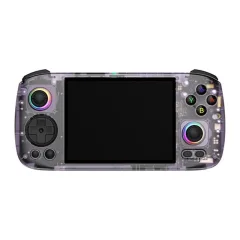
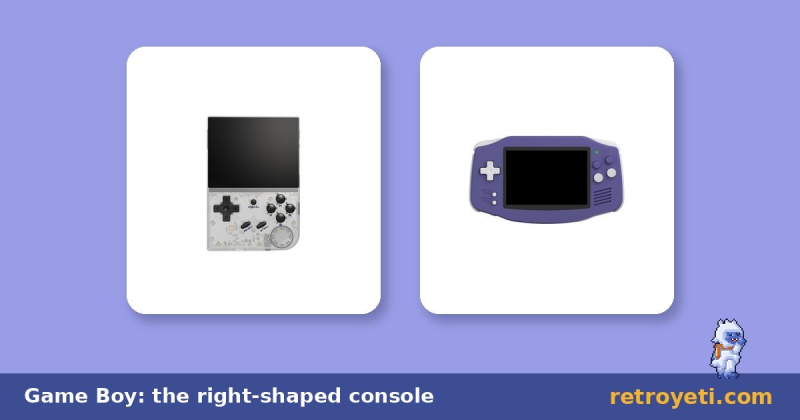
Tetris, Zelda: Link’s Awakening, Super Mario Land, Wario Land: the Game Boy needs next to no power. Every console in my shop runs it flawlessly. If you also want the feel of the time, go for one shaped like a Game Boy: the RG35XX, upright like the original Game Boy and the Game Boy Pocket, the RG34XX, wide like the Game Boy Advance, or the RG SP, a clamshell like the Game Boy Advance SP.
Who is it for? Jump to my recommendation
Three shapes, three Game Boys
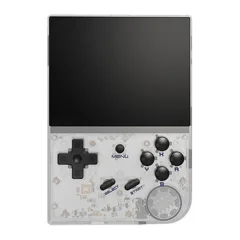
- The RG35XX takes the upright shape of the original Game Boy and the Game Boy Pocket: D-pad and buttons below the screen, small enough for one hand. Its 640×480 screen shows the Game Boy scaled ×3, sharp, with borders on the sides.
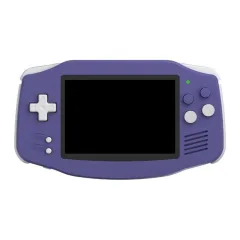
- The RG34XX goes for the wide Game Boy Advance layout. Its 720×480 screen scales the GBA picture by exactly ×3: full screen, with no distorted pixels.
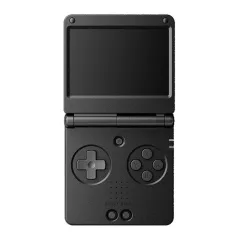
- The RG SP folds in half like the Game Boy Advance SP. Same screen as the RG34XX, same perfect GBA picture, in a size that slips into a pocket without scratching the screen. It has no analogue sticks: it’s a 2D machine, which is exactly the Game Boy spirit.
Sharp pixels
The Game Boy outputs 160×144 pixels. For a sharp picture, every game pixel has to become a block of 3×3 screen pixels, or more. Otherwise the console stretches the picture and some pixels end up wider than others: the thin lines in Link’s Awakening ripple as the screen scrolls.
| Console | Shape | Screen | Game Boy, sharp pixels | Game Boy Advance |
|---|---|---|---|---|
| RG35XX | Upright, Game Boy-style | 3.5″ · 640×480 | ×3: 480×432 | ×2, with borders |
| RG34XX | Wide, GBA-style | 3.4″ · 720×480 | ×3: 480×432 | ×3: full screen |
| RG SP | Clamshell, GBA SP-style | 3.4″ · 720×480 | ×3: 480×432 | ×3: full screen |
The other consoles in the shop also run the Game Boy beautifully, some with a bigger picture, like the RG CubeXX and its square screen. They just don’t have the shape. My Pokémon GBA and DS guide goes into how the GBA is displayed.
Palettes and filters
- Palettes: the original Game Boy showed four shades of green. Emulators offer that palette, a grey Game Boy Pocket-style one, or colours.
- Screen filters: a light grid mimics the pixel grid of the original screen. With the picture scaled ×3, it stays subtle and gives you that 90s look.
- Game Boy Color: its colours were designed for a screen with no backlight, so they look very saturated on a modern display. The colour correction option tones them down.
The must-plays
- Tetris: the Game Boy version, still just as gripping in a quick session.
- Zelda: Link’s Awakening DX: the Game Boy Color version, with an extra dungeon.
- Pokémon Red, Blue, Gold, Silver, Crystal: every Game Boy generation runs on all of them.
- Super Mario Land 2 and Wario Land: platformers made for short sessions.
What I’d pick
To get the Game Boy back the way you remember it, the RG35XX: upright, light and affordable. If you also play a lot of Game Boy Advance, take the RG34XX for its full-screen GBA picture, or the RG SP if you want a console that folds shut and lives in your pocket.
Frequently asked questions
Which console looks most like the Game Boy?
The RG35XX: upright, with the D-pad and buttons below the screen, just like the Game Boy and the Game Boy Pocket.
Why are there black borders around the picture?
Because the screen keeps the Game Boy’s almost-square shape. That’s normal, and it’s the price of a sharp picture.
Do I need a BIOS for the Game Boy?
No. Game Boy and Game Boy Color emulators work without one.
The consoles in this guide
A question about this guide?
No questions about this guide yet. Ask yours: I answer here, publicly, to help the next readers.
Ask a question
All guides · Console Finder · All consoles