Final Fantasy VII, Metal Gear Solid: the PS1 in your pocket
 By The Yeti · published 15/11/2026 · 2 min read
Final Fantasy VII, Metal Gear Solid, Resident Evil, Crash Bandicoot: the PlayStation has dozens of cult games, and good news, all my consoles run it perfectly, from the RG35XX to the RG557. So the choice comes down to the screen, the format and the comfort, not the power.
The right screen for the PS1
PlayStation games are in 4:3. A 4:3 screen shows them without black bars or distortion: that’s the case for the RG35XX and the RG406H. On a 16:9 screen, like the RG556’s, there are black bars on the sides, unless you stretch the image. My AMOLED or IPS guide also talks about screen formats.
Final Fantasy VII and multi-disc games
Final Fantasy VII fits on three discs, Metal Gear Solid on two. To switch from one disc to another without leaving the game, create a small text file with the .m3u extension that lists the discs. You launch that file, and the emulator asks you to “change disc” at the right moment, like on the original console.
Another tip: the compressed CHD format greatly reduces the space PS1 games take up, without changing anything about the game.
Metal Gear Solid and the controls
Metal Gear Solid plays very well with the D-pad, like on the first PlayStation controller. Linux consoles without a stick, like the RG35XX, are therefore perfectly fine. For games that use the sticks of the DualShock controller, like Ape Escape, get a console with two, like the RG406H or the RG556.
Console by console
| Console | PlayStation | Why choose it |
|---|---|---|
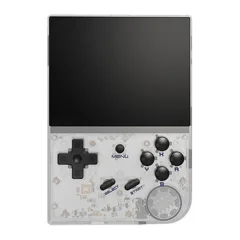
| RG35XX | Perfect | 4:3 screen at 640×480, HDMI output, small price |
| RG34XX | Perfect | Wi-Fi, big battery |
| RG CubeXX | Perfect | Square screen, ideal for 4:3 |
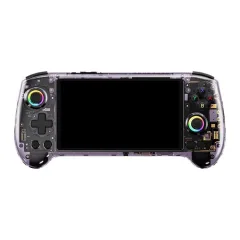
| RG406H | Perfect, upscaled resolution | 4:3 screen, two sticks |
| RG556, RG557 | Perfect, upscaled resolution | Big AMOLED screen |
The BIOS
The PlayStation emulator needs the console’s BIOS, its internal software. Some emulators can do without it, at the cost of lower compatibility. The proper way is to extract the BIOS from your own PlayStation and copy your own CDs.
What I recommend
For the PlayStation, the RG35XX is my first choice: a 4:3 screen in the exact format, an HDMI output for the TV, a small price. The RG34XX if you want Wi-Fi and a bigger battery. And if you plan to go further, up to the PS2, take a look at my guide PS2 emulation: which handheld?.
Frequently asked questions
Does Final Fantasy VII run on an RG35XX?
Yes, perfectly, with its three discs handled by an .m3u file.
Which handheld for PS1 games?
All my consoles will do. The RG35XX has the ideal 4:3 screen and the lowest price.
Can you improve the graphics?
Yes, on Android consoles: the upscaled resolution makes the 3D sharper. On Linux consoles, you can add a filter that imitates a CRT screen.
The consoles in this guide
A question about this guide?
No questions about this guide yet. Ask yours: I answer here, publicly, to help the next readers.
Ask a question
All guides · Console Finder · All consoles