Best retro handheld 2026: which one to choose?
 By The Yeti · published 16/11/2026 · 3 min read
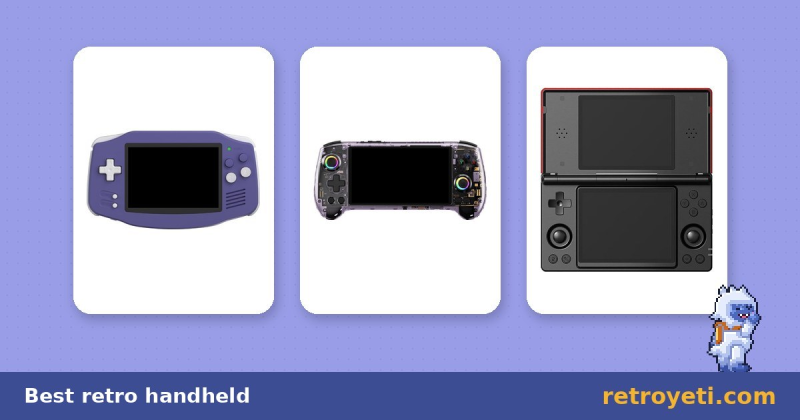
What’s the best retro handheld in 2026? The real answer: the one that runs your games, in the shape you like to hold. A console that’s perfect for the Game Boy Advance is a bad choice for PS2, and the reverse costs twice as much for nothing. For most people, I recommend the RG34XX: simple, long-lasting, perfect up to PS1. For PS2 and GameCube, the RG557. For Nintendo DS, the RG DS and its two screens.
My pick, profile by profile
| If you mostly want… | My console | Why |
|---|---|---|
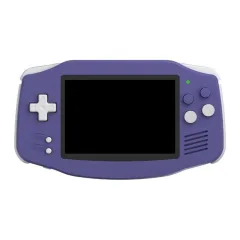
| To start out, small budget | RG34XX | Wi-Fi, big battery, screen perfect for the Game Boy Advance |
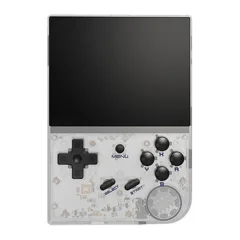
 The vertical Game Boy shape | RG35XX | Game Boy silhouette, HDMI output for the TV |
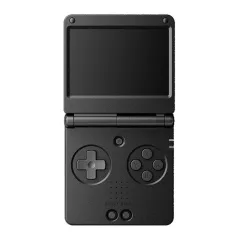
| A console that folds | RG SP | Game Boy Advance SP-style clamshell, the screen is protected in your pocket |
 Super Nintendo, arcade | RG CubeXX | Large square screen, at ease with 4:3 games |
 Nintendo DS | RG DS | Two 4″ touch screens, like the real one |
  PS2 and GameCube | RG557 | The most powerful in the shop, AMOLED screen |
| GameCube for less | RG556 | Same AMOLED screen as the RG557, less powerful chip |
| Android in a compact shape | RG406H | 4″ 4:3 screen, ideal for retro games |
Starting out: a Linux console, nothing more
If your games stop at PS1, don’t buy more powerful. H700 Linux consoles like the RG34XX, RG35XX, RG SP and RG CubeXX boot in a few seconds and run the whole 8 and 16-bit catalogue, PS1 and a good share of Nintendo 64, PSP and Dreamcast games, sometimes with a few tweaks for those last three.
They mainly differ in shape and screen. I compared the two best sellers in my RG35XX or RG34XX guide, and every possible shape in my retro console format guide. If it’s your first console, my Which retro console to start with guide goes further.
Nintendo DS: two screens, or nothing
Every console runs DS, but on a single screen, the game’s two pictures have to share the same space. The RG DS has two 4″ touch screens, one above the other. For Mario Kart DS, Zelda or Pokémon, it’s night and day. I explain it in my guide on Mario Kart DS and Zelda DS.
PS2 and GameCube: you need a powerful Android console
This is where power really matters. The RG557 runs the vast majority of PS2 and GameCube games, often with a sharper picture than on the original console. The RG556 has the same AMOLED screen but a less powerful chip: very good for GameCube, tighter for the heaviest PS2 games. I detailed the difference in my RG557 or RG556 comparison.
No handheld runs every PS2 game perfectly. My PS2 emulation guide tells you what to expect, game by game.
What about Switch?
I’d rather be frank: none of the consoles I sell is reliable for Switch. Some games run on the RG557, many others don’t. If Switch is your priority, look at the Retroid Pocket 6, which I don’t sell: its Snapdragon chip is better equipped for it. I compare it with the RG557 in my RG557 or Retroid Pocket 6 guide.
How I made my selection
For each profile, I picked the console that runs the target games without excessive tinkering, with a battery that lasts a real session, at the fairest price. Specs come from the manufacturer’s sheets, and I cross-check them with published tests when it comes to performance.
What I recommend
If you’re still hesitating, get the RG34XX: it’s the console I recommend most often, because it does very well what most people expect. If your list includes PS2, go straight to the RG557. And if you want an opinion on your game list, write to me: I answer personally.
Frequently asked questions
What’s the best cheap retro handheld?
An H700 Linux console, like the RG35XX or RG34XX. They run everything up to PS1, and most PSP and Dreamcast games.
Which retro console for PS2?
The RG557. The RG556 is fine for the less demanding PS2 games. Linux consoles don’t run PS2.
Android or Linux console?
Linux for simplicity and battery life up to PS1, Android for PS2, GameCube, DS on two screens and Play Store games. My Android or Linux guide helps you decide.
Do the consoles come with games?
No. I sell the consoles without games. You add copies of games you own: my Putting games on your console guide explains how.
Photos of the original consoles: Evan-Amos, Wikimedia Commons (public domain; Game Boy Advance SP and Dreamcast: CC BY-SA 3.0 licence).
The consoles in this guide
A question about this guide?
No questions about this guide yet. Ask yours: I answer here, publicly, to help the next readers.
Ask a question
All guides · Console Finder · All consoles